
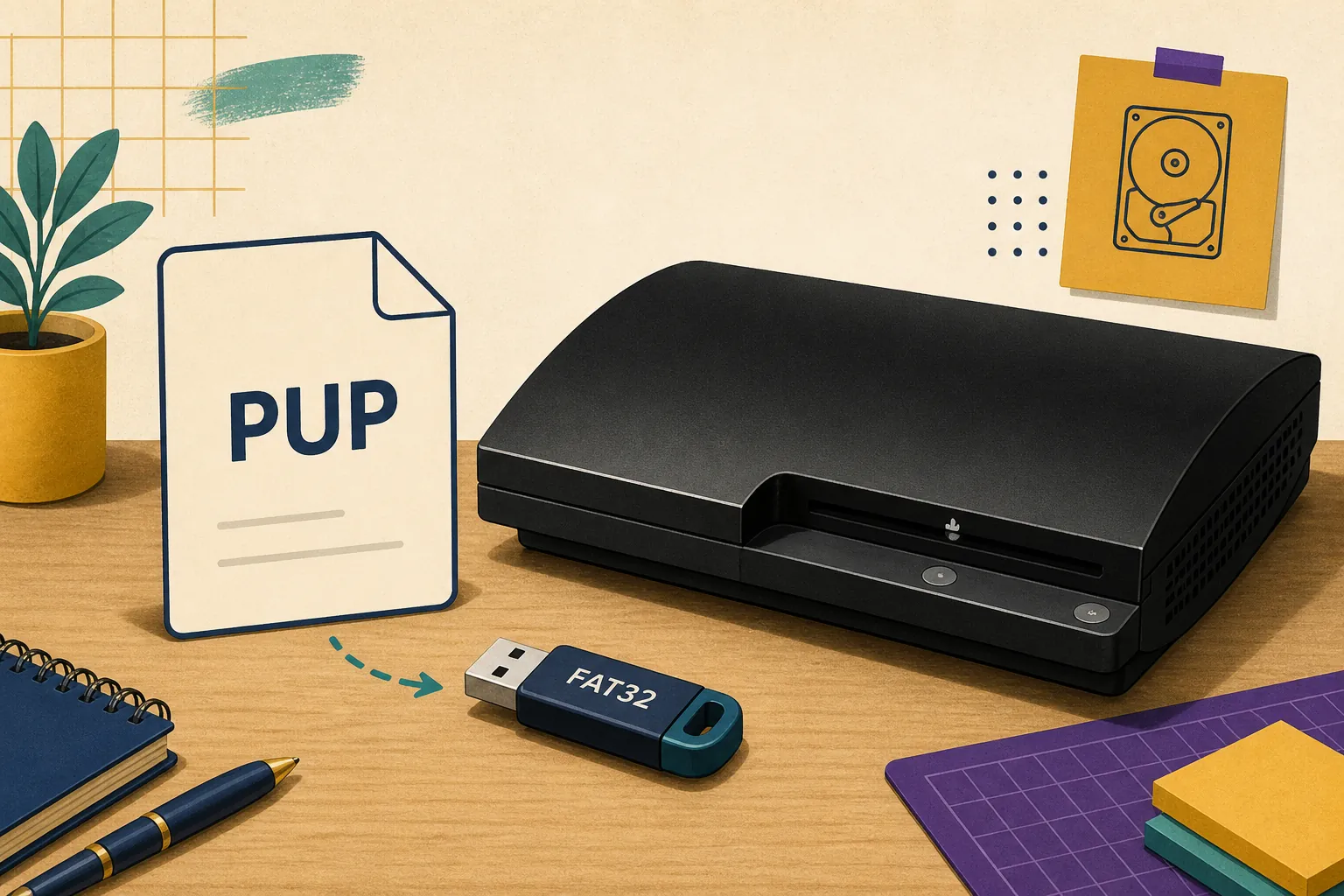
The PS3UPDAT.PUP file is the standard filename for a PlayStation 3 system-software update package. It is not a game ISO, a BIOS ROM, a Windows installer, or a file that should be opened by double-clicking. For a physical console, the usual USB path is PS3/UPDATE/PS3UPDAT.PUP on a compatible FAT32 drive. Before using it, compare the completed download with the expected byte size and published SHA-256. The verified US 4.93 package is 206,197,916 bytes and is also described as system software 4.9300 in Sony update metadata.
What is the PS3UPDAT.PUP file?
The filename identifies a system-software package, but the name alone does not prove where a file came from or whether its contents are complete.
A PUP file is the package format used by Sony's PlayStation 3 update process. When the console or RPCS3 accepts the package, it reads the signed system software and applies or imports the components required by that destination. The file is a delivery package, not a small configuration file and not a collection of game data.
The exact filename matters for the standard console USB workflow. Do not rename it to include the firmware version, change the extension to ZIP, or leave it inside a compressed archive. Windows may hide extensions, so a file that appears to be PS3UPDAT.PUP can actually be PS3UPDAT.PUP.pup or PS3UPDAT.PUP.zip. Turn on visible file extensions when checking the folder.
The same official PUP can serve two different workflows. A physical PS3 reads it through the console's update menu, while RPCS3 imports it through File > Install Firmware. The surrounding steps differ, so a guide about the file should link to both workflows without pretending that a console USB path is the way to install firmware in the emulator.
| File or term | What it means | Do not confuse it with |
|---|---|---|
| PS3UPDAT.PUP | Official PS3 system-software package name | A game ISO, PKG, or ROM |
| 4.93 / 4.9300 | The current verified system-software release notation | A game patch or RPCS3 build number |
| PUP checksum | Evidence that the local bytes match the published file | A filename-only trust claim |
| RPCS3 firmware install | Emulator import of the official package | Copying a PUP into a virtual game folder |
PS3UPDAT.PUP version and file facts
Use the shared verified release record instead of guessing from a mirror title or a rounded file size.
As checked on August 7, 2026, Sony's US update list returned SystemSoftwareVersion=4.9300. This site displays that release as 4.93 because the shorter form is the common page and download label. The package record lists the release date as March 18, 2026, the filename as PS3UPDAT.PUP, and the exact size as 206,197,916 bytes, approximately 196.65 MiB.
The verified source is the Sony PS3 update server, not a rehosted ZIP or an executable download wrapper. The direct resource currently returned HTTP 200 with MIME type application/x-ps3-update and a Content-Length of 206,197,916 bytes. The page also publishes a SHA-256 so you can verify the completed file after a browser transfer or a copy to removable storage.
These facts describe the verified package record and do not guarantee that every PS3 model, modified-console state, storage condition, or repair situation should be handled identically. If you are working with custom firmware, HEN, a failed update loop, or hardware symptoms, read the device-specific guidance before applying official system software.
| Fact | Verified value | Why it matters |
|---|---|---|
| Display version | 4.93 | The human-facing release label used by this site |
| Sony metadata | 4.9300 | The exact SystemSoftwareVersion in the US update list |
| Filename | PS3UPDAT.PUP | The standard console USB filename |
| File size | 206,197,916 bytes / 196.65 MiB | Detects incomplete or wrong files |
| SHA-256 | 158471fd834f8ea8036136b6aab43cd86c7ba73d79ca30e0af3c0fe0001cf365 | Detects changed or corrupted bytes |
The Sony download endpoint uses legacy HTTP infrastructure. A browser warning about the connection does not replace verification: save the package, compare the exact size, then calculate the SHA-256 before installation.
Where does PS3UPDAT.PUP go on a USB drive?
For the normal physical-console USB workflow, the file belongs in a precise folder path at the root of a compatible drive.
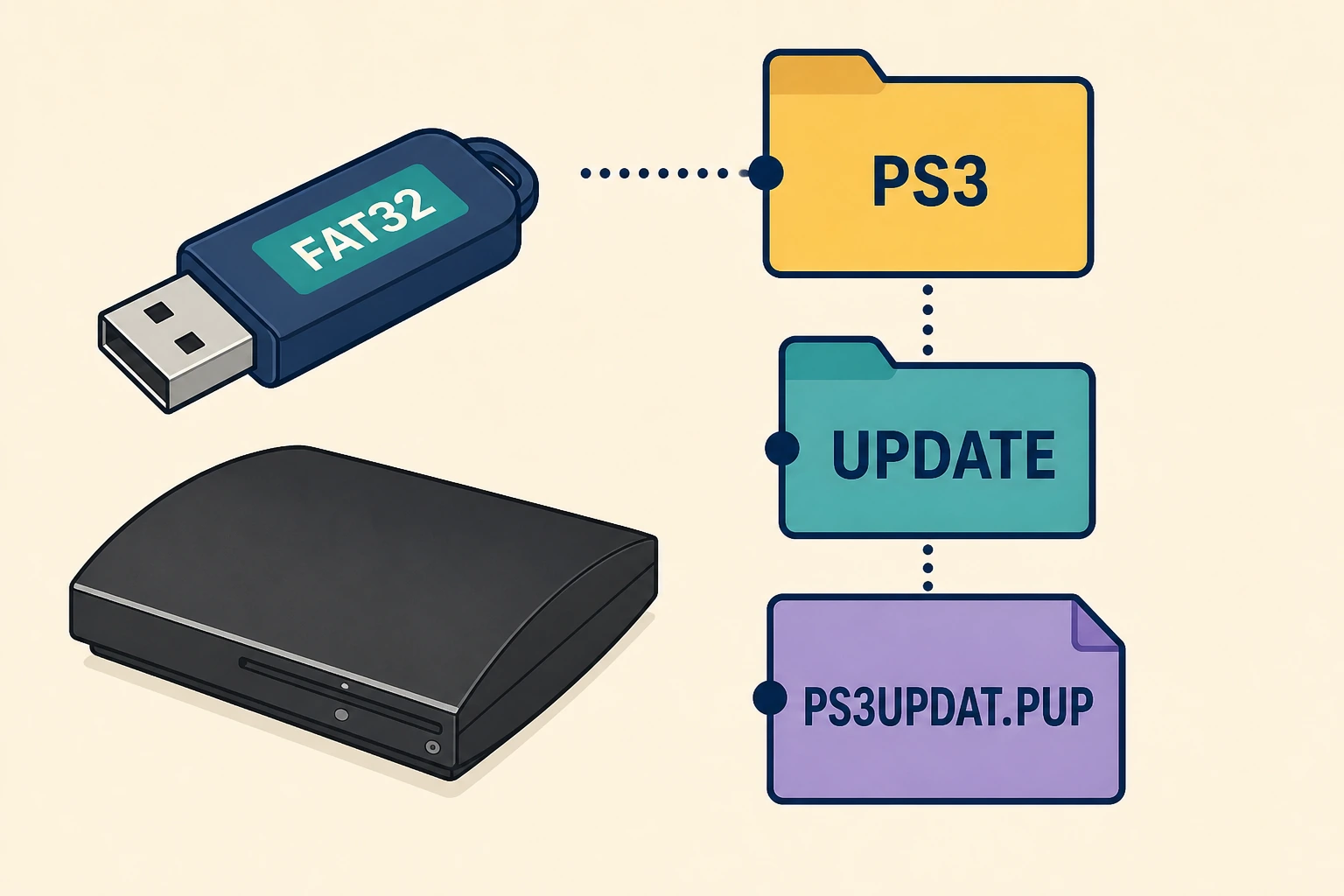
Prepare a USB drive as FAT32 and prefer an MBR partition map for broad PS3 compatibility. The drive should be connected directly to the console rather than through a hub while you test detection. The folder PS3 must be at the drive root; it should not be nested inside Downloads, a second USB folder, or a computer backup directory.
Inside the root PS3 folder, create a folder named UPDATE. Copy the verified file into that folder without changing its name. The final path is PS3/UPDATE/PS3UPDAT.PUP. On Windows, inspect the full name and confirm that the file is not still a ZIP archive and does not have a duplicated extension.
If the console says no applicable update data was found, check the storage format, partition map, root path, folder capitalization, file extension, USB port, and version eligibility in that order. Reformatting or entering Safe Mode cannot repair a missing folder or an incomplete PUP, so start with the least destructive check.
How to verify a downloaded PS3UPDAT.PUP
Check the completed file on the computer and, when possible, check the copy that is actually on the USB drive.
- 1
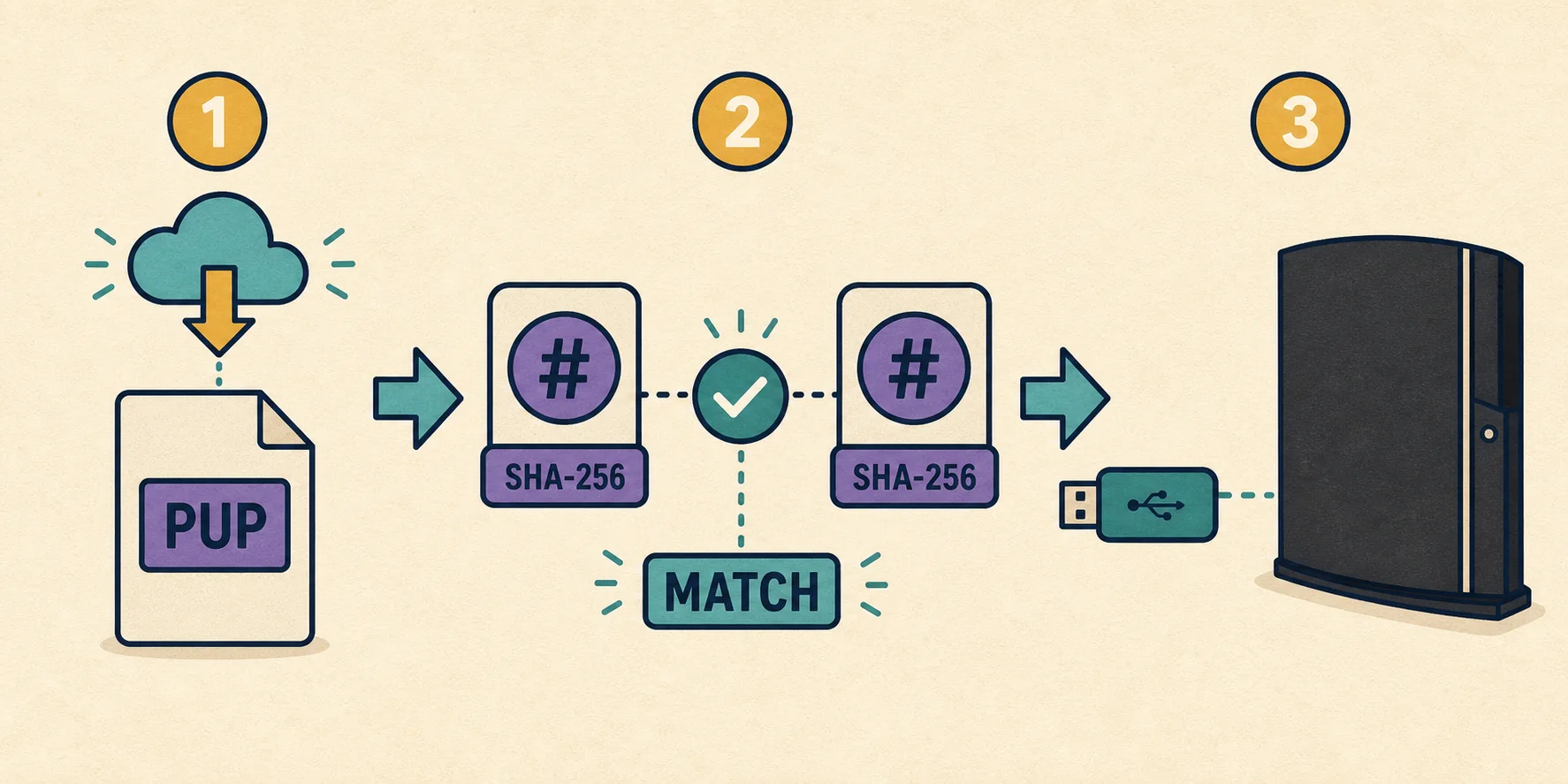
Finish the download
Wait for temporary extensions such as .crdownload or .part to disappear. Save the file instead of opening it, and do not rely on a rounded value such as 196 MB.
- 2
Check the filename
Confirm the full filename is PS3UPDAT.PUP. Enable file extensions so PS3UPDAT.PUP.pup, PS3UPDAT.PUP.zip, or an HTML error page is not mistaken for the package.
- 3
Compare exact bytes
The verified US 4.93 package is 206,197,916 bytes. A smaller file is incomplete; a different size requires a new source check rather than a guess.
- 4
Calculate SHA-256
Compare the local hash with 158471fd834f8ea8036136b6aab43cd86c7ba73d79ca30e0af3c0fe0001cf365. Repeat the check on the USB copy when storage reliability is in doubt.
- 5
Choose the right workflow
Use the console update menu for a physical PS3 or File > Install Firmware in RPCS3. Do not extract the signed package into a game directory.
Using the file on a PS3 console versus RPCS3
On a physical PS3, the prepared USB drive is selected from the system update menu. The console checks whether the media, path, file, and version are eligible before applying the system software. If the XMB does not load, the Safe Mode guide explains how to reach System Update without immediately choosing a destructive restore option.
In RPCS3, the package is imported through File > Install Firmware. The emulator does not need a separately named PS3 BIOS download for this task, and the console's PS3/UPDATE folder is not an RPCS3 game directory. After import, keep the original PUP until the installation is confirmed, then store or remove it according to your own backup policy.
Firmware installation does not provide games, licenses, RAP files, ROMs, decryption keys, or title updates. Game updates are a separate topic with their own title IDs and region considerations. If RPCS3 rejects the file, verify the download first, then check permissions and the emulator version before assuming the PUP itself is wrong.
| Destination | Use PS3UPDAT.PUP through | Important boundary |
|---|---|---|
| Physical PS3 | System Update, USB, or Safe Mode | Use PS3/UPDATE/PS3UPDAT.PUP on compatible media |
| RPCS3 | File > Install Firmware | Do not place the PUP in a game or virtual-drive folder |
| Game update | A title-specific update workflow | Not the same as system firmware |
| Modified console | Model- and modification-specific research | Official firmware can change compatibility; do not guess |
Common PS3UPDAT.PUP mistakes and limits
The most common mistake is treating a familiar filename as proof. A mirror can rename an unrelated file, a browser can save an HTML error response with a PUP-looking extension, and a failing USB drive can change the copy after it was checked on the computer. Exact bytes and SHA-256 are stronger evidence than a label.
Another mistake is using an older archive entry as an automatic downgrade. The archive marks older releases as reference-only when a complete, current source cannot be verified. A file can be authentic and still be ineligible for a particular console or modification state. Do not bypass version rules by changing the name or forcing the updater to accept an unsupported package.
If the hash matches but the console still fails, the download may no longer be the main problem. Record the exact message and percentage, test the drive and folder path, and use the troubleshooting or SYScon guidance for the next step. Repeated power cycling, arbitrary firmware substitutions, and unofficial repair packages can make diagnosis harder.
- Do not rename PS3UPDAT.PUP to add 4.93 or another version number.
- Do not leave the file inside ZIP, RAR, or browser temporary folders.
- Do not treat PS3UPDAT.PUP as a BIOS, game, or executable installer.
- Do not publish or use a direct mirror when the official source can be verified.
- Do not assume an older PUP can downgrade every PS3 model or modified state.
- Do not skip the USB-copy hash check when the drive, cable, or transfer is unreliable.
A verified file removes one uncertainty; it does not prove that a hardware fault, unsupported modification, failing drive, or wrong update target has been fixed.